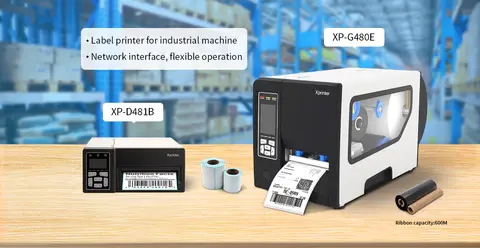
Receipt printers play an important role in completing transactions quickly and providing customers with printed records. While traditional receipt printers remain common at fixed checkout counters, a Mobile Receipt Printer offers a different approach for businesses that need greater flexibility.
The main difference between these printer types is how and where they are used. Traditional models are generally designed for stationary point-of-sale setups, while mobile printers are built for portability and on-the-go printing.
What Is a Traditional Receipt Printer?
A traditional receipt printer is typically installed at a fixed checkout station. It may connect to a cash register, point-of-sale terminal, computer, or other business equipment.
These printers are often suitable for supermarkets, retail stores, restaurants, and other businesses where transactions take place at a designated counter. They can support frequent printing and may integrate with larger POS systems.
What Is a Mobile Receipt Printer?
A mobile receipt printer is designed to be carried and used in different locations. Its compact design, wireless connectivity, and rechargeable battery make it suitable for businesses where employees do not always work from a fixed counter.
Mobile printing can be useful for delivery services, outdoor events, hospitality, transportation, field sales, and businesses that process transactions directly with customers.
Portability and Size
Portability is one of the clearest differences between the two printer types. Traditional receipt printers are usually larger and intended to remain in one location.
Mobile printers are generally smaller and lighter, making them easier to carry throughout a workday. This can be particularly valuable when employees need to print receipts at tables, customer locations, delivery points, or temporary service areas.
Connectivity Options
Traditional receipt printers commonly use wired connections such as USB, Ethernet, or serial interfaces. These connections can provide stable communication within a fixed POS environment.
Mobile models often support Bluetooth or Wi-Fi in addition to USB. Wireless connectivity allows employees to print from smartphones, tablets, and other compatible devices without being physically connected to a checkout station.
Power Requirements
Traditional printers normally rely on a continuous connection to an electrical outlet. This works well in permanent retail counters and other fixed environments.
Mobile printers typically use rechargeable batteries. Battery capacity and charging time therefore become important considerations, especially for employees who spend several hours away from a power source.
Printing Speed and Volume
Traditional receipt printers are often designed for high-volume environments where receipts are printed continuously throughout the day. Their fixed configuration can make them well suited to busy checkout areas.
Mobile printers may prioritize convenience and portability over maximum printing volume. However, many models provide sufficient speed for delivery, hospitality, field service, and other mobile transactions.
Paper and Print Format
Both printer categories commonly use thermal printing technology, which eliminates the need for traditional ink cartridges. However, the supported paper width and roll capacity can vary.
Traditional models may accommodate larger paper rolls because portability is not a major concern. Mobile printers generally use smaller rolls to keep the device compact and easy to carry.
Durability and Working Conditions
A stationary printer usually experiences limited movement, so its design can focus on continuous operation in a controlled indoor environment.
Mobile printers may face more handling, movement, and exposure to changing conditions. Businesses using them outdoors or in demanding environments should consider construction quality and resistance to dust, moisture, and accidental drops.
Which Printer Is Right for Your Business?
The right choice depends on your transaction environment and workflow.
A traditional receipt printer may be a better fit if:
- Transactions happen primarily at a fixed counter.
- The printer needs to handle high daily volumes.
- A wired POS setup is already in place.
- Continuous access to electrical power is available.
A mobile receipt printer may be more suitable if:
- Employees need to print receipts away from a checkout counter.
- Transactions take place at customer locations.
- Wireless connectivity is important.
- Portability and battery operation are priorities.
Final Considerations
Mobile and traditional receipt printers serve different business needs rather than simply competing with each other. A fixed printer can provide reliable high-volume printing for established checkout stations, while a mobile model offers greater freedom for businesses that operate across multiple locations.
Before choosing, consider your transaction volume, working environment, connectivity requirements, paper format, battery needs, and existing POS software. Matching the printer to your workflow can help improve transaction efficiency while avoiding unnecessary features and costs.