
Tomás Reyes runs a commercial cleaning company in the Mission that employs thirty-one people across four shift patterns and three tiers of service contracts. For four years he ran operations from a whiteboard in a converted storage room, a shared Google Sheet that three supervisors updated inconsistently, and a call at 5:30 a.m. every morning where he found out what the previous night had actually looked like.
The 5:30 call was the thing that finally broke him. Not because it was early. Because he’d just finished a call where a supervisor told him that a client location had been skipped because the crew thought someone else was covering it, and the client called at 7 a.m. before he’d had a chance to fix anything.
His business broker, who was helping him prepare the company for a potential sale, told him that the operations documentation problem was going to affect the valuation. Buyers wanted to see that the business could run without Tomás waking up at 5:30. He found a Mobile App development company in San Francisco through a referral network for service businesses, went through a scoping process that took six weeks, and launched an app eight months later.
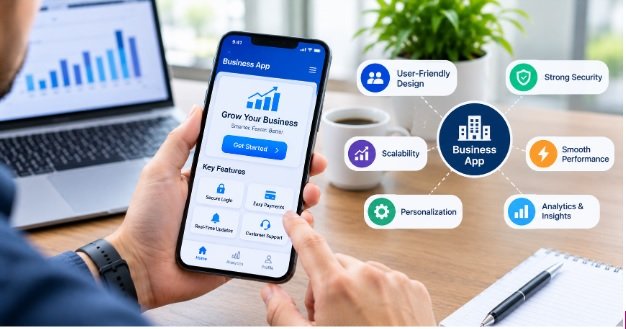
The app did five things: assigned shifts digitally, confirmed crew arrival by GPS check-in, allowed supervisors to log completion and flag issues, pushed status summaries to client contacts automatically, and showed Tomás a live dashboard of the night’s operations from his phone in bed.
He hasn’t had a 5:30 call in fourteen months.
The features that made his app work weren’t the most impressive ones on the list of ideas they discussed during scoping. They were the five that addressed the actual operational failures of the previous system. Everything else was deferred to a version two that may or may not happen depending on what the data shows after twelve months of use.
That discipline, building what the problem requires rather than what the product category implies, is the starting point for every business mobile app that actually delivers a return.
Problem First, Feature List Second
The fastest path to an expensive app that nobody uses is writing a feature list before defining the operational problem it’s solving.
Feature lists for business mobile apps tend to accumulate through a predictable process. Someone with authority over the project attends a demo of a competitor’s app and adds features they saw. A consultant suggests industry best practices that sound reasonable but may not apply to this specific business. Team members, wanting to feel included in the process, contribute their own wish list items. By the time the list reaches a development company, it contains dozens of features of wildly varying priority, some essential and some that exist because they sounded good in a meeting.
The scoping process that produces useful apps inverts this. It starts with the specific operational failures that the current system produces, then asks which of those failures a mobile app could address, then defines the minimum feature set that addresses them, then adds nothing else to the first version.
Tomás’s operational failure was the 5:30 call. The features that addressed it were crew assignment, GPS check-in, completion logging, client communication, and a live dashboard. Those five connected to solve the specific problem. Inventory management, customer relationship tracking, financial reporting, and employee scheduling optimization were all reasonable features for a cleaning operations app. None of them were the five that addressed the 5:30 call.
Authentication and Access Control as the Foundation
A business mobile app that doesn’t rigorously control who can see what and do what isn’t a business tool. It’s a security risk shaped like a business tool.
Authentication for business apps has moved well beyond username and password as an acceptable sole method. Biometric authentication through face ID and fingerprint has become the expected baseline for any app holding sensitive operational or client data, partly because it’s faster in operational contexts where staff are moving quickly, and partly because shared device scenarios in businesses often require fast user switching that password entry slows down.
Role-based access control determines what each authenticated user can see and do. In Tomás’s cleaning operations app, a field crew member can see their shift assignment and check in to their location. A supervisor can see all crews in their zone and log completion. Tomás sees everything. A client contact sees only the status of their own locations. Each of those views is a different product presented through the same interface, and designing them as the same product with some things hidden produces an inferior result compared with designing each role’s experience specifically.
Single sign-on integration with Google Workspace, Microsoft Azure Active Directory, or Okta matters for businesses where employees already authenticate through a corporate identity provider. An app that requires a separate credential set from the one employees use for everything else creates a password management problem and a security gap. Integration with the existing identity provider removes both.
Session management in field and mobile contexts has specific requirements. A session that times out in the middle of a field operation creates real friction. A session that stays open indefinitely on a shared device creates security exposure. The timeout policy needs to reflect the actual usage pattern of the specific role, not a generic security policy.
Offline Functionality and Graceful Degradation
Network connectivity for field business operations is unreliable in ways that office-based software rarely has to accommodate. A crew checking in to a client location in a basement, a technician working in a building with poor signal, a driver in a cellular dead zone: each of these situations produces a connectivity gap that the app needs to handle gracefully rather than failing.
Offline-first architecture is the design approach that addresses this. The app stores the data it needs to function in local storage on the device, performs operations locally when network connectivity is absent, queues changes made offline, and syncs when connectivity returns. The user’s experience during the offline period should be as close to normal as possible, with a clear indicator that they’re in offline mode rather than a broken interface or an error message.
The specific offline requirements vary by feature. A shift assignment that was loaded when the crew member last had connectivity should remain accessible during the shift. A check-in that was attempted in a dead zone should queue and upload when signal returns, with a timestamp that reflects when the check-in was performed rather than when it was transmitted. A completion log that was filled in offline should sync completely rather than losing entries.
Testing offline behavior requires deliberate effort that many development teams underinvest in. Turning off the network in a development environment and running through core flows surfaces gaps that only appear without connectivity, and those gaps are the ones that will affect real field workers on real shifts.
Push Notifications and the Line Between Useful and Ignored
Push notifications are the feature that most directly determines whether a business app becomes part of daily workflow or becomes something people remember to check occasionally.
The notifications that work are the ones that arrive at the right moment, contain the minimum information needed to understand whether action is required, and make it easy to take that action directly from the notification if action is needed. A supervisor who receives a notification that a crew check-in is thirty minutes overdue for a specific location, with a tap-to-call option for the crew lead, has received a useful notification. A supervisor who receives a notification that says “Update available” has received noise.
The notifications that get turned off are the ones that fire too frequently, arrive at inappropriate hours, contain information that doesn’t require the recipient’s attention, or can’t be easily dismissed. Business app notification design requires a usage model that specifies what triggers each notification, who receives it, at what hours, and what the expected action is. That model should be reviewed with the people who will receive the notifications before it’s built into the product.
For client-facing notifications, the standard is even higher. A client who receives an automated notification that their service location has been checked in and service has begun is receiving value. A client who receives three notifications during a standard service because every micro-step triggers an alert is receiving a reason to turn off the integration.
Data Capture That Matches What Field Staff Actually Do
Field business apps succeed or fail based on how the data capture experience feels to the person in the field, and that person is almost never the person who designed the feature.
Data entry that requires too many taps, too much typing, or too much cognitive load during a busy operational moment creates the same outcome: the data doesn’t get entered, or it gets entered inaccurately, or the app stops being used in favor of the old method.
The design principles that consistently produce better data capture in field contexts are directional: reduce typing wherever structured input serves the same purpose. Use dropdowns, checkboxes, and predefined selections where the data is categorical rather than free text. Make photo capture a first-class input method, because a photo of a problem is faster to capture and more informative than a text description. Support voice-to-text where environmental conditions allow it. Position critical inputs at the top of forms rather than requiring scrolling to reach them.
Conditional logic in forms, where subsequent fields appear based on earlier answers, reduces the cognitive load of navigating a form that has many possible paths. A completion log that shows a damage report section only when the staff member checks “Damage observed” prevents the mental overhead of scrolling past irrelevant fields on every form submission.
Validation that happens at entry time rather than at submission time catches errors when they’re easy to fix rather than when the form is complete and the staff member is already at their next location. A mandatory field that’s flagged immediately when the user tries to proceed to the next section is a better experience than a submission error that requires scrolling back through a long form to find the missing field.
Analytics and Reporting That Managers Will Actually Use
Business apps generate data, and data that nobody looks at is cost without return. The analytics and reporting layer of a business app determines whether the data it captures becomes operational intelligence or accumulates in a database that exists because someone decided to capture it.
The reporting features that managers use consistently are the ones that connect directly to the operational decisions they make. Tomás reviews a nightly summary of shift completion rates, client locations served, and issues flagged. That summary informs three decisions: whether to call any clients proactively, whether any supervisors need a conversation about their team’s performance, and whether staffing for the following night needs adjustment. He reviews it once, for about four minutes, and it’s sufficient.
An analytics dashboard that requires interpretation, shows metrics without context, or produces more information than a manager can process in the time they have available gets reviewed once when it’s new and ignored thereafter.
The reports that get used are the ones designed around the specific decisions the manager makes and the information those decisions require. That requires knowing what those decisions are before designing the reports, which is another version of the same problem-first principle.
Integration With the Tools the Business Already Uses
A business mobile app that doesn’t connect to the business’s existing software creates two sources of truth, which is equivalent to having no reliable truth. Data entered in the app that doesn’t appear in the accounting system means accounts receivable doesn’t know what services were delivered. Staff attendance logged in the app that doesn’t reach the payroll system means payroll requires manual reconciliation. Client service records that exist only in the app and not in the CRM mean account managers work from incomplete information.
Integration planning should be part of the feature definition process, not a separate conversation after features are defined. The question of what the app needs to exchange with which other systems determines the technical architecture, the development timeline, and the realistic cost of the first version.
Common integrations for business operations apps include accounting software (QuickBooks, Xero, Sage), payroll systems (ADP, Gusto, Paychex), CRM platforms (Salesforce, HubSpot, Zoho), communication tools (Slack, Microsoft Teams), and calendar and scheduling systems. Each integration has its own API, authentication requirements, data format considerations, and behavior under error conditions.
The integrations that must exist from day one, because the app can’t serve its purpose without them, are different from the integrations that would be useful but aren’t blocking. Defining that distinction clearly before scoping prevents the first version from being held up by integration work that addresses lower-priority connections.
Planning the Cost Honestly
Mobile App Development Cost in San Francisco reflects local engineering rates that are among the highest in any market, and the cost range for a business operations app is wide enough that a figure without context is nearly meaningless.
A focused first version with the five to seven features that solve the specific operational problem, built for a single platform, with one or two critical integrations, typically starts in the range of sixty to one hundred thousand dollars from a San Francisco-area team. Expanding to native iOS and Android, adding more complex integrations, building multi-role administrative dashboards, and including analytics and reporting features pushes the budget toward one hundred fifty to two hundred fifty thousand. Enterprise-grade platforms with advanced security, multiple business unit support, and real-time operational intelligence can exceed that substantially.
Ongoing maintenance adds fifteen to twenty percent of the build cost annually, covering operating system compatibility updates, security patches, integration maintenance as third-party APIs change, and the feature additions that users request after they’ve used the first version long enough to know what’s missing.
The return on that investment is measurable in operational terms before the development contract is signed if the right questions are asked. How much does the current operational failure cost in client losses, staff time, error correction, and management attention? What would it be worth to eliminate that failure? The answer to those questions frames the budget conversation as an investment analysis rather than a cost discussion.
What Tomás Said About Buying
The business broker’s assessment after the app launched was that the documentation problem was resolved. The operations could now be explained to a buyer through data rather than through Tomás’s presence. The valuation changed.
He hasn’t sold the company. He decided he didn’t want to once the operations worked the way he’d always imagined they should. But knowing he could is a different kind of freedom from not knowing.
The app did that by doing five specific things well. Not thirty things adequately. Five things well.
That’s still the answer to what features to consider before developing a business mobile app. Not which features are standard in the category. Which five features would change the operational reality that currently keeps you on the phone at 5:30 in the morning.
Start there. Build those. Learn from the data. Add the next five when you know what the first five taught you.