

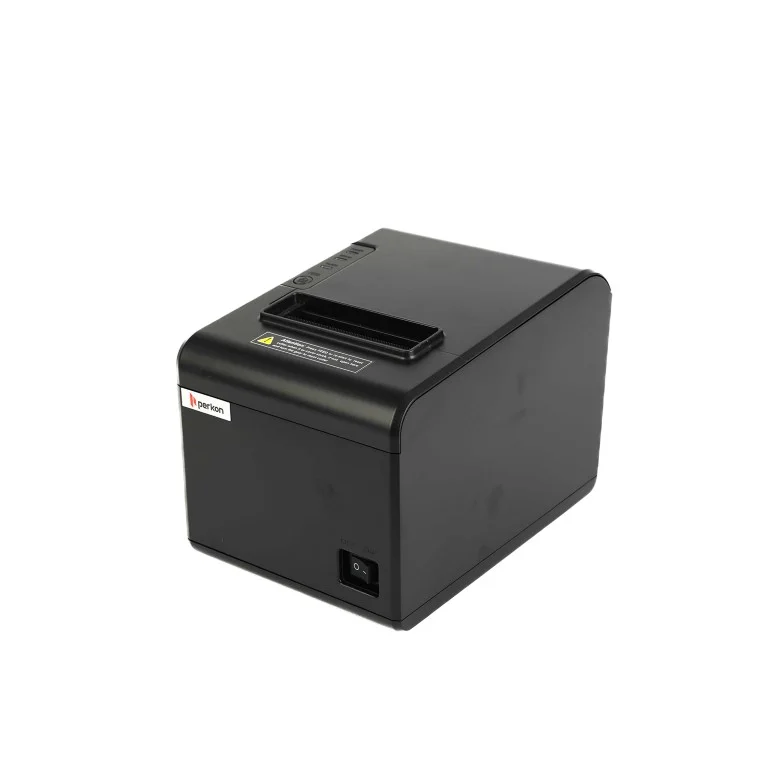
A thermal receipt printer is a valuable investment for businesses that depend on fast and reliable printing every day. Whether used in retail stores, restaurants, supermarkets, pharmacies, or hospitality businesses, regular maintenance helps ensure consistent performance while reducing the risk of unexpected downtime. Taking care of your printer not only improves print quality but also extends its operational lifespan.
Proper maintenance of an Xprinter Thermal Receipt Printer can help businesses maximize productivity and reduce long-term operating costs. By following a few simple maintenance practices, you can keep your printer working efficiently for years to come.
Why Regular Maintenance Is Important
Although thermal receipt printers require less maintenance than traditional ink or laser printers, they still benefit from routine care. Dust, paper residue, and continuous use can gradually affect performance if not addressed.
Regular maintenance helps:
- Extend the printer’s lifespan
- Maintain consistent print quality
- Reduce unexpected breakdowns
- Minimize repair costs
- Improve daily productivity
Preventive maintenance is often much less expensive than replacing damaged components.
Clean the Print Head Frequently
The print head is one of the most important parts of a thermal printer. Over time, dust and residue from thermal paper can build up, leading to faded or unclear receipts.
To clean the print head safely:
- Turn off the printer and unplug it.
- Allow the print head to cool completely.
- Use a lint-free cloth or a thermal printer cleaning pen.
- Gently wipe the print head without applying excessive pressure.
- Allow it to dry before turning the printer back on.
Cleaning the print head regularly helps maintain sharp text and readable barcodes.
Use High-Quality Thermal Paper
The quality of thermal paper directly impacts printer performance. Low-quality paper often produces excess dust and may leave residue on internal components.
Benefits of using quality thermal paper include:
- Better print clarity
- Reduced print head wear
- Smoother paper feeding
- Longer printer lifespan
Choosing compatible supplies can significantly reduce maintenance requirements.
Keep the Printer Clean
Dust and debris can accumulate inside the printer during normal operation. Regular cleaning helps prevent mechanical issues and improves reliability.
Focus on cleaning:
- The paper compartment
- Paper path
- Exterior surfaces
- Rollers
Avoid using harsh chemicals or abrasive cleaning materials that could damage the printer.
Inspect the Paper Rollers
Paper rollers guide receipts through the printer. Worn or dirty rollers can cause paper jams and uneven feeding.
During routine inspections, check for:
- Dust buildup
- Cracks
- Flat spots
- Reduced grip
Cleaning or replacing worn rollers helps maintain smooth printing performance.
Store Thermal Paper Properly
Thermal paper is sensitive to heat, moisture, and direct sunlight. Improper storage can affect print quality even before the paper is used.
For best results:
- Store paper in a cool, dry place.
- Keep it away from direct sunlight.
- Protect it from excessive humidity.
- Leave unused rolls in their original packaging.
Proper storage helps preserve paper quality and extends its usability.
Avoid Overloading the Printer
Every receipt printer is designed to handle a recommended daily print volume. Consistently exceeding this limit may increase wear on internal components.
To reduce unnecessary strain:
- Follow the recommended workload guidelines.
- Allow short breaks during extremely heavy printing sessions.
- Use the correct paper size and specifications.
Operating the printer within its intended capacity promotes long-term reliability.
Check Cables and Connections
Loose or damaged cables can cause communication problems between the printer and connected devices.
Inspect regularly:
- Power cables
- USB connections
- Ethernet cables
- Network connections
- Bluetooth settings, if applicable
Secure connections help prevent printing interruptions.
Keep Firmware Updated
Firmware updates can improve printer performance, compatibility, and stability.
Benefits of updating firmware include:
- Improved reliability
- Enhanced software compatibility
- Performance optimizations
- Bug fixes
Checking periodically for available updates helps keep the printer operating efficiently.
Perform Routine Test Prints
Printing a test receipt on a regular basis helps identify small issues before they become larger problems.
Look for:
- Clear text
- Sharp barcodes
- Proper alignment
- Even print density
If the print quality changes, clean the printer and inspect the paper before continuing daily use.
Train Employees on Proper Handling
Many printer problems result from incorrect operation rather than hardware failure.
Employees should know how to:
- Load thermal paper correctly
- Replace paper rolls safely
- Clean the printer properly
- Identify warning indicators
- Report unusual printer behavior
Proper training helps reduce accidental damage and extends the printer’s service life.
Create a Maintenance Schedule
A simple maintenance schedule helps ensure consistent performance throughout the year.
A practical routine includes:
- Daily: Check paper supply and remove visible dust.
- Weekly: Clean the printer exterior and inspect paper loading.
- Monthly: Clean the print head and rollers.
- Quarterly: Check cables, firmware, and overall printer condition.
Following a schedule makes maintenance easier and more effective.
Common Maintenance Mistakes to Avoid
Avoiding improper maintenance practices is just as important as performing routine care.
Common mistakes include:
- Using low-quality thermal paper
- Ignoring faded print quality
- Cleaning with abrasive materials
- Skipping regular inspections
- Exceeding the recommended daily print volume
Preventing these issues helps maintain dependable printer performance.
Conclusion
Routine maintenance is one of the simplest ways to maximize the lifespan of a thermal receipt printer. Regular cleaning, proper paper storage, quality supplies, firmware updates, and scheduled inspections all contribute to reliable performance and lower operating costs.
By following these maintenance tips, businesses can keep their receipt printers running efficiently, reduce downtime, and ensure consistent, high-quality receipt printing for years to come.